Showing posts with label Agile Software Development. Show all posts

Monday, October 12, 2015

Size Matters: Improve Productivity with Cheap Screen Real Estate

Common Screen Sizes

It's hard to hire developers, and technical resources are expensive. Everyone is trying to figure out how to attract top talent, reduce turnover, and increase productivity of existing staff without reducing their work/life balance.

Early on, I decided that if you're going to spend 8 hours a day 5 days a week for almost 50 weeks a year doing something, everything about it should be as pleasant as it could be. I bought a new Macbook pro and two thunderbolt displays. Those investments very quickly paid off.

Until recently, the benefits of large technology investments were just intuition. Last week, I realized how much more productive I was working remotely than when I'm onsite with the client. One reason is that when I'm remote I get a lot more flow, but another reason is that when I'm remote, I have a lot more screen real estate so I can see a lot more information at once.

I decided it was time to be more productive onsite too. This time, I wanted to have more concrete justification.

Screen Selection

A friend of mine and I did a fair amount of research picking out monitors that gave us the best bang for our bucks. I'm really happy with my Thunderbolt Displays. They're IPS and they're quite high PPI. This time, I wanted to try something a little cheaper and a little larger and I wanted to try a VA panel so I ended up getting a BenQ BL3200PT. This monitor, I think, has the same panel as the Samsung S32D850T, which has a slightly smaller price tag.

Screen Real Estate

When I talk about screen real estate, I'm not talking about the diagonal size of the screen; I'm talking about the resolution of the screen. Having a larger screen doesn't do anything for you (at least not in the sense of a computer monitor) with regard to how much information you can fit on the screen at one time. The difference between an HD 1080 screen at 27" vs. 32" is just stretching. Resolution, however, is how many pixels the screen has. The more pixels there are, the more options the computer has to present data (provided you have the visual acuity to perceive the data without scaling).

These displays are 2560 x 1440 or WQHD and are the same resolution as my thunderbolt displays, albeit over a larger surface area. Thus the resolution is not quite as crisp as my thunderbolts, but still these are very high quality screens. If you're into lower pixel pitch and higher PPI, I don't blame you. Higher pixel density screens are much more pleasant to look at, but they do come at a cost.

Comparing Resolutions

There are two very common resolutions in offices these days. An older WSXVGA+ which is an 8:5 aspect display at 1680 x 1050 pixels. HD 1080 is also quiet popular which is the 16:9 display at 1920 x 1080. The HD 1080 has about 17.6% more pixels than the WSXVGA+. By comparison, the WQHD, also 16:9, has 2560 x 1440 pixels (sometimes called 1440P). It has about 77.8% more pixels than HD 1080 and about 110% more pixels than WSXGA+. That is to say that if you have 1 WQHD display, you have more pixels than a dual screen WSXGA+ setup.

Benefits of Screen Real Estate

The benefits of additional screen real estate, unfortunately, are easier to experience than they are to describe. Having additional real estate may mean that you will sense more data at the same time, but does not necessarily mean you will perceive these data. Similarly, having the ability see multiple windows does not mean that you won't just continue editing one file at a time in a full screen editor. On the other hand, not having the ability to optimize your workflow guarantees that you will not.

Anecdotes

I do have a few anecdotes that buttress my belief that having more screen real estate is inherently valuable. One time when I'm particularly keen to the benefits of higher resolutions is when I'm developing responsive designs. I'll often dock my browser's DOM inspector on the side and I'll slide the split pane to different responsive breakpoints watching the HTML/CSS changes flash in the inspector. The additional real estate means I can see meaningful data in the DOM inspector and the responsive design at the desktop breakpoint at the same time.

Another time I notice the benefits of having additional screen real estate is when working on native mobile applications. Native development often involves simulators and emulators. Scaling during emulation isn't always well supported. Thus, the additional pixels allows you to see the entire simulator at once.

Another example that I found particularly fascinating happened shortly after I took over a new project. I had been working on the project for a few weeks from the client site. One day, I was working remotely and I had my terminal window off to the left and I had the application in a browser to the right. This is a usual screen configuration for my workflow on my cinema displays. I had changed some code and the application reloaded. When it did, I noticed dozens of queries pop up in the log. None of the ORM queries had been optimized to prevent N + 1 queries. I spent a few hours fixing those, but may never have noticed them had I not had enough room on my screen to comfortably view the browser and the terminal at the same time.

Summary of Benefits

Typically on HD 1080 and especially on WSXGA+, I have only one window visible at a time. That's why I didn't notice the N + 1 queries until I was remote. There may be myriad other benefits of the additional screen real estate when considering looking at code in multiple panes, test driven development, debugging, guard and live reload, etc.

Costs

High quality screens can be expensive! The thunderbolt displays are almost $1,000 each. The BenQ was $550. The Samsung is $500. It's hard to imagine pulling out all of your existing displays and replacing them with displays that cost several hundred dollars. Heck, I spent hours justifying buying only one.

That's why it clicked. At some point I realized, it doesn't take much before the investment in display technology pays off. According to several job posting / salary research sites, the average developer in Atlanta makes about $120K per year. To keep the math easy, I'll call it $100K (also because I like lowballing estimates like this). Normally, overhead on a W-2 employee is roughly 25% - 50% of annual salary. If you have a very modest benefits package (and not a lot of PTO), then an average developer in Atlanta will cost about $125K per year.

Even if your organization buys these screens the same way I did (i.e., no sales tax and no bulk discount), then it'll cost about $550, or about 0.4% of the cost of an average developer. That means that if you bought 100 of them, it would cost less than half of the annual salary of your average developer for a year. Thus, if you have 100 developers and you get 100 screens and each developer is 0.5% more productive for the year, then you actually make money on the investment.

If the cost still seems too high, you don't have to get VA panels. In fact, 32 inch screens are pretty big (they take up a lot of desk real estate too). These 25" Dell U2515H IPS panels were only $350 at the time of writing. 100 of these would be less than 1/3 of the underestimated developer annual cost.

Recuperating Costs

The average American works 1,780 hours per year. To recuperate 0.28% of a developer's cost, the developer only needs to produce about 5 hours more per year. That could be working an additional 5 hours per year because work is more fun. It could be 5 hours saved by not having to tab between windows and the cost of brief context switches. It could be 5 hours not spent tracking down performance issues in production because some N + 1 queries sneaked through.

It could be 5 fewer hours spent recruiting great job candidates because the technology makes the company a better place to work. Developers with neat technology are more inclined to passively as well as actively recruit for you. This can bolster your recruiting efforts, also saving money. Similarly, developers with a satisfying work environment are less likely to leave their jobs reducing the high cost of turnover.

Studies on worker productivity show that American workers tend to have about 6 (and some studies show as few as 3) productive hours in an 8 hour workday. Better screens may improve ideal hours per day. That means if all of your developers show up Monday morning and find their brand new screens, and in their excitement they're productive for 8 hours on Monday and Tuesday (rather than 6) and 7 hours on Wednesday, then in the first 3 days, the screens have paid for themselves. I could be completely wrong about everything else and your net could still be more valuable somewhat liquid (they have good resale values) assets for free.

Remember, you only need 5 additional productive hours per year to cover the cost of 1 high resolution display … and that's if you buy new screens every year. If you plan on keeping the displays for 5 years, it's just 1 hour per year.

Incredulous?

Let's consider a more pessimistic case. Let's say your staff, on average is pretty junior (and you're using technologies that aren't particularly backend heavy. If that's the case, your developers may cost you an average of $80K salary and per year and $20K in benefits, taxes, recruiting efforts, etc. Let's say they also take no vacation or sick leave and thus work a full 2,080 hours per year. Further, your staff is productive 100% of working hours.

In this case, you're paying an average of $48 per productive work hour. If you buy very nice displays at say, $960 each, then you need 20 additional productive hours to cover the cost of one display. Even in this very unlikely case, that's less than 1% per developer. And they don't need to work 2,100 hours in a year per se. They can be 1% more efficient. That means if they're writing 100 lines of perfect code per day, then to cover the cost of a new display, they only need to write 100 lines of perfect code per day (and on the tenth day, perhaps they write 10 extra perfect line of code . . . or better yet, they delete a line or two).

More likely your average developer is closer to $125K per year, they work 1,780 hours per year, and they are productive fewer than 6 of every 8 hours. Thus, their cost is $94 per productive hour. Also, it's very reasonable to get smaller IPS WQHD panels for $350 each (especially if you have a large team and get a bulk or corporate discount). So, you need fewer than 4 hours per developer or 0.3% more productivity. An average developer contributes 10 lines per day to the codebase (Mythical Man Month) so to break even on your investment, your average developer only needs to net an additional 3 lines of code every quarter.

n.b., I don't support using lines of code as a measure of productivity. It's merely illustrative of the relative scale of the cost of a display to the cost of a developer. Try your own calculations using bugs sent to production, mean time to defect resolution, etc.

Recommendation

I recommend making an investment to replace low resolution displays for developers and pairing stations (and I would consider broadening the reach really to non-technical employees as well) with high resolution displays. I think that the cost of the hardware would be recovered very quickly by improved developer efficiency and performance. The investment is low risk because the cost is relatively low and the displays are a moderately liquid asset.

If you have 100 developers on your team, it may be hard to get approval for the capital to buy $35,000 worth of displays. In that case, you can always hire another developer (well, you can try at least) for $35,000 per quarter.

Display Options

Dell P2416D 24 Monitor with QHD 23.8-Inch Screen, Black
Dell UltraSharp U2515H 25-Inch Screen LED-Lit Monitor
Dell UltraSharp U2715H 27-Inch Screen LED-Lit Monitor
BenQ BL3200PT 32-inch WQHD 10-bit USBx4 HDMI Monitor built for Creative Class
Samsung 32" WQHD LED Monitor (S32D850T)

Sunday, May 24, 2015

Remote Interview Pairing Challenge with Cloud9

Cloud9 IDE

My interview process typically involves just trying to get to know someone to see if we're a good match culturally. After all, if you have a good mind for development, I know you'll be great if we can put you in the right environment with the right culture. As a result, I tend to spend a lot more time talking about what kinds of problems a developer finds interesting, what sorts of roadblocks she finds frustrating, and what technologies we have in common.

There is, however, still the necessary evil of seeing how far along the candidate is on the programming journey. To that end, I usually try to do a very basic code challenge. Normally it's something simple enough that we can still have a healthy conversation while we solve it together as a pair, and it's not so academic as to be useless in real life. Mostly, I just want to pair together to solve a problem.

I give the candidate the opportunity to select the language of her choosing and typically I'll know it well enough that we can pair to solve the problem. I explain the challenge, we set up unit tests, write a failing test, and make it pass. Sometimes, if I don't feel like I know enough, I'll change it a little and we'll try to adapt to the changes together.

This has been such a positive experience for me (and for the candidates I've talked with after their interviews), that I've spent a fair amount of time practicing the process. As I recently discovered, it's such a fundamental part of my interview, that I was completely unprepared when a client asked me, at the last minute, to step into an interview to do a pairing challenge with a candidate . . . who was remote!

Remote Pairing Interview

We tried to come up with a few options for doing the code challenge. After all, our shop pairs pretty much all the time and we try to be supportive of remote work. I mean, we've solved this problem before; however, it's seldom without hiccups. I know that candidates are usually nervous in an interview and I feel a lot of responsibility to help set their minds at ease. To that end, I like to appear calm, collected, and organized.

We considered using tmate and vim. We talked about screen sharing with TeamViewer. We also thought about just letting this candidate work on a harder challenge, maybe something from Hacker Rank or Project Euler, and email us the solution.

Shortcomings

Each of these had a downside. Tmate would give the dev access to my machine and I wanted to let them do whatever they wanted without putting my machine in his hands. Alternatively, his machine could host but I wanted to be able to get to the solution later. Screen sharing with TeamViewer isn't as responsive as I like when pairing, especially if I want to be able to help out rapidly. Also, I type in Dvorak and sometimes that's an issue (turns out he does too . . . by the way). The async challenges, while good, don't let us know if we'll enjoy pairing together.

Enter Cloud9

I remembered, a while back, running across Cloud9 and playing with it a little bit. I thought, "hey, what if we just try this?" Cloud9 would give us a sandbox that we can work in with a full ubuntu virtual machine. The candidate can do whatever he wants to it, we can code, install tools, whatever. I said, "hey, give me a second . . . I'm going to try this Cloud9 thing . . . go ahead and get your account set up and I'll invite you to a project."

In about 5 minutes, the candidate, my co-worker, and I were pairing and running tests on our Cloud9 workspace. There were no security concerns, communication was simple, we still installed and used tmux and vim, we had a sandbox, I was able to save the code. It was a really great experience. Not only did we offer a position to the candidate, but the candidate has been happy on our team ever since. I consider it a sign of a good interview when a candidate takes a position and I think that Cloud9 had a lot to do with this one.

Next Steps

I've not used Cloud9 (or any web based IDEs for that matter) on day to day work. Unfortunately, I'm not really in a position to try it out on the free tier. At some point, I want to go ahead and get a subscription and see how well it works out for me. I certainly see the value of cloud based IDE services and I like the idea that the most expensive development hardware you need is a Chromebook.

Okay, so maybe that's a little hyperbolic, but not for long. We have pairing stations that we treat like cattle rather than pets. We can wipe it completely clean and have it up and running again ready to go in just a few minutes. The hardware isn't commodity, but it could be. In fact, it could just be a web interface to a virtualized instance and why couldn't that be accessed from a Chromebook, pairing station, laptop, tablet, or . . . maybe in a pinch . . . a phone? Personally, I like it and hopefully I'll get a chance to push Cloud9 beyond "hello world."

Saturday, March 15, 2014

A Limerick Standup: AngularJS, PhantomJS, and Jasmine

Logs

In honor of St. Patty's Day, I decided a limerick standup would be appropriate:

I've made some good progress with Angular
Though nothing of mention particular
     I have some good tests
     That pass in PhantomJS
And if Jasmine were here, I would strangle 'er

Thursday, November 19, 2009

The ThoughtWorks Agile Southeast Conference

ThoughtWorksI'm taking a quick reprieve from my How to Land a Job as a Software Engineer series to write about a very informative and enjoyable event I attended this Tuesday. ThoughtWorks held its first professional conference in the Southeast and a friend of mine who is a thought worker invited me to go. It was a well organized event and several noteworthy thought workers presented.

We kicked off the day by listening to a keynote by Neal Ford called, "Why, Not How." Neal pointed out that there is solid evidence that agile works, but that few people investigate why it works. That is to say, the talk focused on why agile works rather than how to work agile. There was a great deal of merit to the things he said about the psychology and biology behind the effectiveness and efficiency of agile methods. This was one of my favorite talks, perhaps because it appealed to my background in behavioral neuroscience research at Duke, my experience getting my MBA, as well as my interest in becoming a better programmer. If only he had said something about airplanes it would've been perfect.

The breakout sessions started after Neal's keynote allowing us to chose between the management track and the technology track. I generally stuck with the management track. Just kidding. But, I wish I could've been in two places at once and I'll explain why shortly.

The first breakout session I went to discussed code metrics, tools for gathering metrics, and ways to interpret metrics. In fact, the significant interest in measurement may be one of my favorite aspects to the agile method. I suppose it appeals to my empirical nature; after all, if you can't observe it, it didn't happen. :)

Next, Anthony Pitluga and Ali Aghareza talked about cloud computing. They made an interesting distinction to me regarding Software as a Service (SaaS), Platform as a Services (PaaS), and Infrastructure as a Service (IaaS). They also pointed out a use for cloud computing that I can really get behind. Just so you know, I think there are very few instances where cloud computing is better than having your own infrastructure, but I believe these fellas were right on when they said it's perfect for testing. I mean, you can spin up (on demand mind you) a full test environment that very closely mimics your production environment on Amazon's EC2. Imagine that! Rather than doubling your capex to get two (or god forbid) three duplicate environments, you just build, test, and deploy your solution to EC2. You bang on it for as long as you need and the whole testing cycle costs a few hundred an hour. Very clever indeed.

I switched over to the management track for Saleem Siddiqui's talk about software complexity. He talked about essential complexity and incidental complexity in software, making a distinction between complexity that has to be in software and complexity that just sort of happens. Then, he talked about why it's better to focus on the latter rather than the former because, well, the former has to be there. He's a well spoken and interesting speaker to be sure.

After that, we took a much needed lunch break and had some really good food (although there was a vegimarian behind me in line who seemed to disagree, but since I'm a meatitarian I didn't notice). During lunch, Scott Conley gave his keynote about Platforms and innovation. As ThoughtWorks Chief Strategy Officer, Scott knows a lot about innovation and he's damn good at talking about it. Despite the incessant tinging of forks on plates, I got a lot out of Scott's talk.

After lunch, I went back to the technical track and enjoyed Graham Brooks's talk about testing web applications. He showed us a framework he's been working on that allows him to apply test driven development techniques to web applications.

Next, Dave Vollbracht talked about the perils of allowing everyone to have a unique development environment. It's important to note, though, that he didn't say anything about being able to try new tools. Basically, he said that if a team member finds a great tool and starts using it, that everybody should have it as well. That way, the machine you are working on may not be the same piece of hardware, but the environment will always be identical. That makes it much easier to image new development machines, to engage in paired programming, or to share team members with other teams. Dave also talked about several methods to achieve this uniformity.

Really, the biggest downside is that I couldn't be in both breakout sessions at the same time. I would really have enjoyed Ross Pettit's talk about Budgeting and the Financial Implications of Agile and I'm sure I would have loved to hear about Gregory Reiser's experience with offshore development. Can agile make offshore development actually work? I guess I won't know until next time.

Speaking of next time, I'll definitely be there and I'll be bringing friends. It was a good conference, and I enjoyed getting the ThoughtWorks perspective. I hope the next one will have a lot more attendance because I'd love to get other perspectives too.

Monday, September 14, 2009

Agile Estimating and Planning

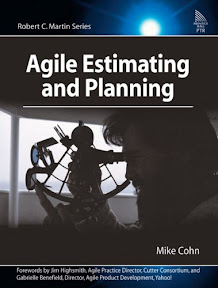
Agile Estimating and PlanningA few months ago my company picked up a new project with a fairly major government organization. The mission is to migrate several applications from a mainframe (Natural / Adabas) to a modern environment (C# / SQL Server). We were told that the mainframe was going to be disabled in about 9 months . . . period.

I told the client very early in the process that a typical waterfall approach would be impossible to implement under the conditions of the project and that we should take an agile methodology. The client agreed; however, the lack of resources corralled a few of our team members back to the waterfall approach. After a few weeks in waterfall, we realized that there was no way a waterfall project could be successful in this case.

We officially switched back to an agile approach and the project has been swimming along nicely ever since. I owe a lot of this success to Agile Estimating and Planning by Mike Cohn.

Agile Estimating and Planning is part of the Robert C. Martin Series and is listed in every "Top 10 Agile Books" lists I've found. The book is full of well thought out logical explanations and detailed examples of agile software development practices and principles. It is a very easy read (I read it in 2 days) and the author did an excellent job of relating each chapter to other chapters in the book.

The book begins by pointing out the difference between planning an agile project and agile planning. Next, Mike describes several reasons planning fails in many projects (some of which I discuss in my blog post a few weeks ago called "Programming is a Gas").

The next several chapters discuss the benefits and techniques of abstracting estimations away from time and monetary units. This creates a set of relative estimations based on feature complexity that allows the project room to change over time (and promotes more open and honest communication with the client). Two techniques discussed specifically are story points and ideal days.

The following section is more planning oriented with a detailed discussion of themes, features, and prioritization. There is a discussion about what to do with epics (very large stories) and boundaries on which to split those stories. Conversely, there is also a discussion about combining several small but related user stories into one larger more meaningful one.

The scheduling section describes release and iteration planning, estimating velocity, and techniques for buffering projects (especially risky projects). the tracking and communicating section gives you a set of methods for monitoring the release and iteration plans and a tool set you can use to communicate this with the project stakeholders.

The next section describes how (and why) agile projects work so well in real life. High visibility into the project, frequent feature based planning, and small story size make agile projects preferred for many software development groups as well as many clients who have had the good fortune to have experienced a well run agile project.

The final chapter is a hypothetical case study which demonstrates the entire agile software development life cycle from beginning to end. In this chapter, you get to see how an agile project begins, how stakeholders become involved, how iterations are planned, and how easily problems can be solved. If you read carefully, you can also pick up a lot of insight Mike has to offer from his experience as an agile coach.

You can purchase Agile Estimating and Planning from Amazon.com at a deeply discounted rate.